Monday, June 2, 2014

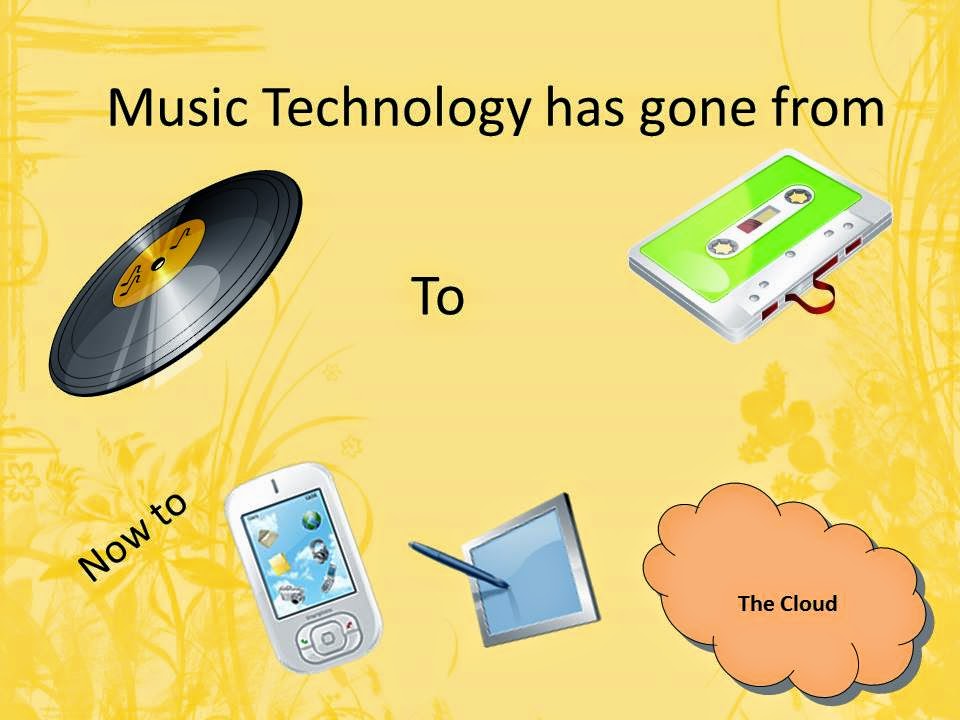
Music, Music, Wherever You Go,,,

This presentation was given at Chama,  NM Library 
for their Tea on Tuesday program.


Source Shifting or Converting Old Media to New Media Forms

         Copyright Issues:
         It is generally accepted that you can convert the media you own to a  different storage type or make an archival copy of the media.  For example, you can convert the songs of a cassette or record to an mp3 file that will play on a cd player ipod, smart phone, etc.
You must:
Own and store the original media.  You can’t give the record away after converting it. You can not share the file with others.  Do not post on the Internet!  Definitely do not sell the media file. Special equipment is required to convert the old media, but you may already have them. If not, the industry has several USB options for converting records and cassette media to digital media. 

Converting Records to Digital Files


            Here are three ways to covert records to digital files.  If you no longer have a stereo system you can purchase special converters to move your old files to digital ones.

         1. Connect your turntable to your computer with a jack to phono cable and use a free software called Audacity. http://audacity.sourceforge.net/

2.  All-in-one converters that take records, cassette and save to a CD which can be resaved to computer or smartphone.  Cassette/Vinyl to CD Convertor (all in one), Crossley Cr248 - Crosley Songwriter  http://www.composers.ca/cr248.htm
3. Use a USB turntable that connects to your computer. ION  USB or CD converter       turntables http://www.ionaudio.com/products/turntables

Converting Cassettes to Digital Files


Cassette music can be downloaded to digital files with a audio cable from a cassette player to your computer.  You will need to use Audacity software to do this.


You can also purchase a converter with cassette player, cable and software at Amazon, http://amazon.com or buy at electronic stores.


Audacity Software for Creating Digital Files

          Record and cassette music generally has noise and buzzes when download.  Audacity will correct these issues and save the files in a form that will work for your smartphone or tablet.
        
          Audacity Free Download  http://audacity.sourceforge.net/

Audacity will allow you to convert files to files appropriate for the music equipment you are using.  File types: WAV (large file for computer use) MP3 (smaller compressed files for mp3 players.

ITUNES    www.apple.com/itunes/download/ This software allows you to convert the CD’s made by the equipment above into mp3 files which can then be loaded on your SmartPhone or Tablet.  It also allows you to organize your music and create playlists.

Places to Find Music


                   If you don't choose to convert your old media to digital form, you can find music in many places.  Some is free and other must be paid for.  You can organize your music in playlists and purchase only the selections you want.  

                 Amazon http://www.amazon.com/    Apps, free and paid music, individual song downloads, albums and new/used CDs

Apps, free and paid music, individual song downloads, albums and new/used CDs.
Can’t find what you want?  Look at Related Searches at the top of the page or 
use these search strategies:
   • Decide what you want to look for
   •Search by Artist Name, Music Title
   •Search by Genre – Easy Listening, Rap
   •Search by  Amount :  Free   


Music Apps to Cover All 

Convert and save your music to your Smartphones and Tablets with these apps.
ITunes – Apple  http://www.apple.com/itunes/


I Heart Radio – Android
Listen to your favorite live stations or create your own with iHeartRadio -- the only app you need to stream live radio and enjoy commercial-free custom music stations.


Music from Radio Stations

            Pandora http://www.pandora.com  Create your own music station with music you like.

Live 365  http://www.live365.com/  
Listen to thousands of internet radio stations featuring online music in every style, including hip hop, jazz, new age, rock, classical, oldies, and more. 

 
Radio Station Locator  http://radio-locator.com/  This search engine of all of the radio stations in the world  is searchable by location and call sign. 


Sunday, April 27, 2014

What to Do with Old Technology

What to do with Old Technology


Aren’t new computers grand?...and a big pain.  First , you have to move everything from your old computer, delete data,  and then find a place to dispose of it.  This is the process for new cell phones, external drives, printer cartridges, batteries and other e-junk.  Electronic waste contains toxic materials and carcinogenic chemicals which when in a landfill or recycled incorrectly can cause great harm.  The e-waste shipped to countries like China and India is often dumped or burned which puts mercury and lead in the air for all of us. Other things such as old TVS, batteries, electric  tools and flashlights should never hit the dumpsters, either.
Consider these re-use options for your old equipment. Reuse it as music and video storage, extra drive for that new equipment or game station.  Find a group that will fix up your old equipment and provide it to students and elderly.  Donate your old phones to groups that reuse them, especially for communications with home for our troops.  With all these options, remember to wipe off your information and remove your SiM card from the phone.
If you want to rid yourself of that electronic boat anchor consider these options:
Many electronic sellers will take back your equipment and recycle them correctly such as Staples, Best Buy, Office Depot, and various manufacturers such as Dell and HP.  E-Cycle, Call2Recycle, and  e-Stewards are non-profits which will recycle.  Local organizations such as colleges in my area have a recycle day when they will take electronics and recycle them.  Watch for their announcements.

An excellent article with more information for recycling your tech can be found here at PC newsletter.  http://www.pcmag.com/article2/0,2817,2383568,00.asp
Green Gadgets has a zip code locator for finding local places to recycle old electronics and other ideas for recycling them.
21 Ingenious Ways to Repurpose Old Tech is an article on really unusual, artsy ways to repurpose old tech.

OK, we don't need to get to carried away with repurposing, do we?

Monday, March 10, 2014

A Better Mouse Trap.....PDF Web Converter


As you explore the Internet you are bound to find pages, articles or tutorials you would like to keep for handy reference.  However, within the limited space of an RV, there is no room for a boxful of papers.  And why cut down trees when you can save it a better way?  This Print Friendly PDF Converter at  http://www.printfriendly.com/ is the best I have seen and used.  You create a PDF of the page you have open with a minimum of keystrokes when you have the bookmarklet available on your  Favorites bar.   Follow the instructions at the bottom of the page to put the button on whichever browser you are using.  You are not downloading any software to your computer.  All of the PDF creation takes place online.  Once it is created, you download the PDF to your computer.  One other good feature is that it downloads only the main text and pictures, not the ads and the junk. You can use this to print web pages without the junk as well.
If you have a blog or website you can use the  web button which will allow your text to be downloaded as a PDF by your visitors. As with anything you download or use from the Internet, I encourage you to read the Privacy notice to avoid possible problems with information collected with your use. 
Click on the arrow below to see a short video on how to use this application.


Tuesday, February 25, 2014

Smilebox and Scrapbook Flair --Two Creative Options for Photos

Information for photo class at Desert Trails RV Park

SmileBox

Want to do something with all those photos that you can save, share and use to enjoy the memories?  Smilebox is a simple, free software that allows you to create a quick video using still photos.  With this software you can also create collages, invitations, scrapbooks and other items.   To use this software you will need to download the software either for your laptop or for your Iphone or Ipad. The laptop version is different and more robust than the IPhone/IPad version which is quick and simple but limited.  At this time I could not find an app for the Android  tablets.   This is free software for the basic package.  You will not need  to join Club Smilebox until you try it out…then, you may like it so much you will.

Smilebox for PC  http://www.smilebox.com/
This version will do much, much more than the IPad version.  Consider it for more serious projects
. 

I phone  This version is limited to combining pictures and special picture effects.
https://itunes.apple.com/app/id452830319?&referrer=click%3D8ff62d2f-0d93-4422-a96f-215c03e122e5

Don’t forget to check the blog for updates
http://www.traveling-with-technology.blogspot.com/


Look at an example here of a movie created by Smilebox on a PC
http://www.traveling-with-technology.blogspot.com/2013_06_01_archive.html


Scrapbook Flair

This is another free to download software that you can use to create scrapbook pages.  These scrapbook pages can then be saved a JPGs, taken to a local print outlet such as Walgreens, Staples or Wal-Mart to be printed.  Scrapbook Flair also has a printing service that will print 12x12 scrapbook pages and often for a very good price.  You upload your page to the Internet service and receive the prints in the mail. 

In addition, the free software webpage offers free downloads of new backgrounds and embellishments to use on your pages.  When you see a free Designer Page set, be sure to download it then, as the "free" time is limited.  You can also subscribe for more services if you chose but the basic service is free.  I like to download the backgrounds to use with other projects such as PowerPoints since they are so elegant.


Scrapbook Flairhttp://scrapbookflair.com/

Download Scrapbook Flair Software (free)http://scrapbookflair.com/downloadsoftware.aspx

Basic Membership (free)  -- Sign in here so you can download free software and more scrapbook elementshttp://scrapbookflair.com/register.aspx 

Free Designer collections to download are available on this page, usually on the right side.http://scrapbookflair.com/


Monday, February 10, 2014

A Trip Along the Crafter-Net

Although they may have had to leave behind all those patterns and books, full-time RVers do not want to leave their creativity behind. In fact, many have more time available for projects.    Don't worry -- take a trip along the Crafter-Net to find projects easily completed on the road.  The links below will take you to a myriad of crafting sites for fiber arts, quilting, jewelry making and general crafts of all kind.  The last links will help you save and organize your craft patterns and information.  Computer files weigh a lot less than all those books!

PS.  I've decided to keep this updated with my fabulous finds so check back often at http://traveling-with-technology.blogspot.com/2014/02/a-trip-along-crafter-net.html .  This link will get you right to the craft link page so bookmark it.  *** indicates one of my favorites!

Blogs


Blogs are online newsletters written by ordinary people or companies.  Here you can find new projects, tips, and all kinds of ideas.  Sometimes you can sign up to get the blogs in your mailbox or just visit them as you wish.

Sew What’s New  http://sew-whats-new.com/


Crochet

Yarnspirations
Free patterns from Paton, Sugar and Cream, Bernat and Caron Companies.  You can purchase yarn from here, too. http://www.yarnspirations.com/


Lion Brand Yarn http://www.lionbrand.com/


All Free Crochet  http://www.allfreecrochet.com/

Free Crochet Patterns from CrochetMe Lots of free e-books.
 http://www.crochetme.com/media/g/free-patterns/default.aspx?PageIndex=1

All Free Afghan Patterns http://www.allfreecrochetafghanpatterns.com
 
 
Knitting


Knitting Pattern Central http://knittingpatterncentral.com/

All Free Crafts – Knitting http://www.allfreecrafts.com/knitting/


General Crafts

Martha Stewart Crafts and Décor  http://www.marthastewart.com/


Curious How-to lessons http://curious.com/lessons/Crafting


Jewelry Making


Newsletters

Fav Craft Newsletters Sign Up http://www.favecrafts.com/section/subctr  Click here to start your subscription to any or all of the newsletters below.

These e-newsletters come to your mailbox once a week to once a day containing links to many different crafts and categories.  You can choose your craft.           


101 Days of Holiday Recipes & Crafts
Bling Buzz from AllFreeJewelryMaking.com        
Cheap Eats and Thrifty Crafts .
Crafty Christmas Ideas from AllFreeChristmasCrafts.com
Crafty Kid Creations from AllFreeKidsCrafts.com      
The Paper Post from AllFreePaperCrafts.com 
Create and Celebrate from AllFreeHolidayCrafts        
Creative Income from FaveCrafts.com       
Hooked On Crochet from AllFreeCrochet.com        
Knit Picky Patterns from AllFreeKnitting.com       
Laying It All Out from AllFreeCrochetAfghanPatterns.com       
Sewing It Up from AllFreeSewing.com   
Piecing it Together from FaveQuilts       
Quick and Crafty from FaveCrafts.com       
The Wedding Planner from AllFreeDIYWeddings.com        
  
Quilting
Free Quilt Patterns from EESchenck www.eeschenck.com
Click on the right menu for Quilts and Projects, then choose Free patterns for many nice free PDF projects.
 
Moda Fabric Company http://www.modabakeshop.com/
 
Robert Kaufman Fabrics and Patterns  http://www.robertkaufman.com/quilting/quilts_patterns/

Quilt Binding Calculator  Need to know how many strips you need to go around that quilt?  Here's the place! New 4/2014

 
Quilting Board –Sign up for Newsletter on right side

Quilt Playground


Quilt.com  http://quilt.com/Blocks/AlphaBlockList.html

All People Quilt http://www.allpeoplequilt.com/quilt-patterns/small-projects-your-stash

Jelly Roll Patterns and Inspiration http://www.jellyrollfabric.net/Patterns_ep_41-1.html New 4/2014

Quilt Index http://www.quiltindex.org/ 
The Quilt Index is a project of the Michigan State University Museum, Matrix, and Quilt Alliance to preserve images and stories about quilt artists, quilts, and quilting activities and then to make this information searchable and freely accessible for research and education. The Index houses tens of thousands of images and stories of artists and quilts from private and public collections around the world.


Sewing
Coats and Clarks


Janome Sewing Projects http://content.janome.com/index.cfm/ProjectCenter/Projects

Free Appliqué Patterns http://www.fatcatpatterns.com/free.html
 
Sewing.org  http://www.sewing.org/

 Singer Free Projects http://www.singerco.com/projects
 

Crafts for Grandkids

Spoonful Recipes and Crafts (Disney) http://spoonful.com/


Canon Printable Toys etc. http://cp.c-ij.com/en/contents/1006/


Coloring Books and Printables. http://krokotak.com/category/printables/
 
  
Stores/Coupons


Joann Fabric http://www.joann.com/


Fabric and Crafts Stores Online

 
Fabric Cafe  http://fabriccafe.com/

Fabric.com  https://www.fabric.com/

Connecting Threads  http://www.connectingthreads.com/

 Fat Quarter Shop http://www.fatquartershop.com/
 
Indygo Junction http://www.indygojunction.com/

 
Books

 
Interweave Store http://www.interweavestore.com/

Taunton Store http://www.tauntonstore.com/

Leisure Arts http://www.leisurearts.com/

Landauer Publishing (Good Sales)   http://landauerpub.com/cart.html
       Free Projects  http://landauerpub.com/freequiltingprojects.html
 

Selling Your Crafts

Creative Income Blog and Newsletter  http://creativeincomeblog.com/

 
Videos and How-tos
Curious How-to lessons http://curious.com/lessons/Crafting

You can watch lessons of all kinds.  Simply put your Craft and Project (Crochet flowers) in the search and watch away.  You can also subscribe to “Channels” of certain people who have projects you like and you will be notified each time they add a new video.


Organizing your crafting links
This is a online version of all those pattern binders you left behind.  With a bookmarklet on your favorites bar you can easily organize the links to patterns you want to save.
 
Dropbox 
This is an online storage for your files and a way you can share large files.

Print Friendly PDF Converter Very Easy to Use!  Found a pattern online that your would rather save than print?  This site will allow you to save any web page to a PDF file so it can be save on your computer.

Found a pattern online that your would rather save than print?  This site will allow you to save any web page to a PDF file so it can be save on your computer.
 
When you find a picture or idea you like, you can PIN IT to your account and access it anytime you need inspiration.

 
Bonus Tip
Need the text larger or smaller?  Hold down the CTRL key and use the mouse wheel to increase or decrease the text.
 
If you have found this valuable, please comment.  If you have a favorite site, share it on your comment and I will add it to this list.


Monday, August 12, 2013

Time to Share...a link or two

 
Aug. 13  Share a Link  Bring a reference to a site, an app, or a idea that makes staying connected and having fun easy while on the road. (For use with Smartphones, Tablets, Laptops)
 
Sites of Interest
From Ann
 
Education
I Tunes University https://itunes.apple.com/us/app/itunes-u/id490217893?mt=8
The iTunes U app gives you access to complete courses from leading universities and other schools — plus the world’s largest digital catalog of free education content .
 
LearnFree.org Computer Classes http://www.gcflearnfree.org/computers
Computer learning site
 

Technology

Keep up with the latest technology here through her radio show and web page.
 
 Shopping
Amazon http://www.amazon.com/  Shopping of all kinds
Tiger Direct  http://www.tigerdirect.com/  Technology shopping
 
 
Fun
 
Epson Printer Crafts http://www.epson.com/cgi-bin/Store/PrintLab/pl_home.jsp  Printer crafts - great for grandkids.
 

Organization

Live Binder  http://www.livebinders.com/  Keep your favorite sites in an online binder.
 
Porta Portal http://portaportal.com/  Bookmarks will travel.
 

Entertainment

 YouTube  www.youtube.com/
Windows Media Radio Station Guide http://www.windowsmedia.com/radioui/home.aspx
 
Utility
Pdf My URL  http://pdfmyurl.com/  A must-have to save a webpage as a PDF to read and store offline.  Great for How-to pages.


Tuesday, August 6, 2013

Smile! Smilebox can help with those many photos.

Want to do something with all those photos that you can save, share and use to enjoy the memories?  Smilebox is a simple, free software that allows you to create a quick video using still photos.  With this software you can also create collages, invitations, scrapbooks and other items.  This class will show you!  To prepare for this class you will need to download the software either for your laptop or for you Iphone or Ipad. The laptop version is different and more robust than the IPhone/IPad version is quick and simple but limited.  At this time I could not find an app for the Android  tablets. 

 In addition, have 5 or 6 pictures to use to create your video.  This is free software for the basic package.  You will not need  to join Club Smilebox until you try it out…then, you may like it so much you will.


 Smilebox for PC  http://www.smilebox.com/
This version will do much, much more than the IPad version.  Consider it for more serious projects.

 
I phone  This version is limited to combining pictures and special picture effects.

Don’t forget to check the blog for updates http://www.traveling-with-technology.blogspot.com/

Look at an example here of a movie created by Smilebox on a PC
  http://www.traveling-with-technology.blogspot.com/2013_06_01_archive.html